

Documentation Guidelines
Last Updated: January 2025
The guidance outlined in this document is aspirational and is not necessarily representative of how the documentation is currently written. As you work on the documentation, please follow these guidelines and update existing documentation as opportunities arise. In fact, one of the opportunities for contribution is to improve the documentation so that it is consistent with these guidelines.
Code Blocks
Use code-block directive with the appropriate language specified for code examples. For example:
.. code-block:: python

    def hello():
        return "Hello, World!"
For code examples that are illustrating changes to make to code, such as those found in tutorials, use the emphasize-lines option to highlight the lines that need to be changed. For example:
.. code-block:: python
    :emphasize-lines: 1

    def hello():
        return "Hello, World!"
For examples with significant changes, especially those that replace large sections of code, use the diff language or the diff option of literalinclude to compare two files.
.. code-block:: diff

    .. code-block:: diff

        -{% extends tethys_app.package|add:"/base.html" %}
        +{% extends "tethys_apps/app_header_content.html" %}
         {% load static tethys %}

         {% block app_content %}
         <h1>Home Page</h1>
         {% endblock %}
.. literalinclude:: example.txt
    :diff: example.txt.orig
Tip
For more details on the code-block directive, see the Sphinx documentation.
Note
You may encounter usage of the :: directive for code blocks in older parts of the documentation. Please update these to use the code-block directive.
Cross References
Use the label syntax (:ref:) for cross-references, rather than using the :doc: directive. This prevents needing to update the reference if a page is moved or renamed. Here is a simple example of the label syntax:
.. _my-reference-label:

Section to cross-reference
--------------------------

This is the text of the section.

It refers to the section itself, see :ref:`my-reference-label`.
Tip
See Cross-Referencing arbitrary locations for an explanation of the label syntax.
Docstrings
The detailed descriptions of classes, functions, and methods that are found in the documentation are automatically generated from the Google Style Python Docstrings embedded in the Python code. Developers write docstrings as part of the development process. An example of a Google style docstring is shown below:
def some_function(arg1, arg2):
    """
    This is a Google style docstring.
    Args:
        arg1 (int): The first argument.
        arg2 (str): The second argument.
    Returns:
        bool: The return value. True for success, False otherwise.
    """
    return True
Tip
For a mor detailed example of Google Style Python Docstrings, see Example Google Style Python Docstrings.
A doc string is included in an RST file using the autodoc and napoleon extensions. An example of the RST syntax for including a docstring in the documentation is shown below:
.. automodule:: tethys_apps.base.controller

.. autoclass:: tethys_sdk.gizmos.MapView

.. automethod:: tethys_sdk.base.TethysAppBase.spatial_dataset_service_settings
Tip
For more information on using autodoc, see the Sphinx documentation | sphinx.ext.autodoc.
Downloads
Use the download role to create a download link for files. For example:
:download:`some example file <../downloads/my-file.txt>`
Download Files
Binary files to be downloaded (e.g. .zip, .tar.gz, .png) should be managed by Git LFS. Do not add, remove, or modify binary files in the documentation without first installing Git LFS and pulling the LFS files. For details on using Git LFS in the documentation, see How to Build the Documentation.
Download files should be stored in a resources subdirectory near where the download link is referenced. For example, the downloads for the the Google Earth Engine Part 1 tutorial are stored in docs/tutorials/google_earth_engine/part_1/resources/.
Tip
For more details on the download role, see Referencing downloadable files.
Headings
Every reStructuredText (RST) page should have a title heading marked with lines of "*" characters on top and bottom that are the same length as the title:
**********
Page Title
**********
Last Updated
The Last Updated date should follow immediately after the page title, following the format below. The month should be written as the full name of the month and the year should be written as the 4-digit year. Any time a page is updated, the Last Updated date should be updated as well.
**Last Updated:** <Month> <Year>
Note
You may encounter some pages with older style dates that include the day; please remove the day and update it to the new format.
Sub Headings
RST syntax allows for multiple levels of headings by using different characters to underline the heading text. For consistency, please use "=" for Heading 1, "-" for Heading 2, and "~" for Heading 3, and "+" for Heading 4". Avoid using more than four levels of headings.
Heading 1
=========

Heading 2
---------

Heading 3
~~~~~~~~~

Heading 4
+++++++++
Full Page Heading Example
Here is an example of the page title, Last Updated date, and different levels of headings for a full page:
**********
Page Title
**********

**Last Updated:** January 2025

Heading 1
=========

Heading 2
---------

Heading 3
+++++++++
Tip
For more details on heading syntax in RST, see reStructured Text Primer: Sections.
Hyperlinks
Use the use the RST syntax for hyperlinks for links to external resources. For internal links see Cross References.
For links where the text should be the same as the web address, no special syntax is needed:
This is a sentence with a web address link https://www.example.com.
For links where custom text is desired, use the following syntax:
This is a sentence with a `custom link text <https://www.example.com>`_.
Tip
For more details on hyperlinks in RST see reStructured Text Primer: Hyperlinks.
Django Links
The Tethys Platform documentation includes many links to the Django documentation. All Django links should refernece the current Long Term Support (LTS) version of Django.
Link Checker
Overtime, the links in the documentation may become outdated. Fortunately, Sphinx provides a builder that will check all of the links in the documentation. To run the link checker, run the following command in the docs directory:
make linkcheck
The output will be written to _build/linkcheck/output.txt. Review the output and correct any broken links. Entries with status of "working". Those that are "unchecked" or "ignored" have been skipped via configuration. The "broken" entries are the ones that need to be fixed. The links with status "redirected" are not necessarily broken, but may need to be updated.
Caution
The link checker requires an internet connection to check the links and takes a long time to run, because it checks every link in the documentation. It is not required to run the link checker before every commit, but it is recommended to run it periodically to ensure that the links in the documentation are up-to-date.
Images
Use the image directive to include an image in the documentation or use figure to include an image with a caption. For example:
image
.. image:: images/my-image.png
    :alt: My Image
    :width: 400px
    :align: center
figure
.. figure:: images/my-image.png
    :alt: My Image
    :width: 400px
    :align: center

    My Image Caption\
Tip
See reStructured Text Primer: Images for more details on including images in the documentation.
Image Files
Images in the documentation are managed by Git LFS. Do not add, remove, or modify images without first installing Git LFS and pulling the images For details on using Git LFS in the documentation, see How to Build the Documentation.
Images files should be stored in either the docs/images directory or in a resources subdirectory near where the images are used. For example, the images for the THREDDS tutorial are stored in docs/tutorials/thredds/resources. The latter option is preferred for tutorials and other sections where the images are closely related to the content.
Screenshot Guidelines
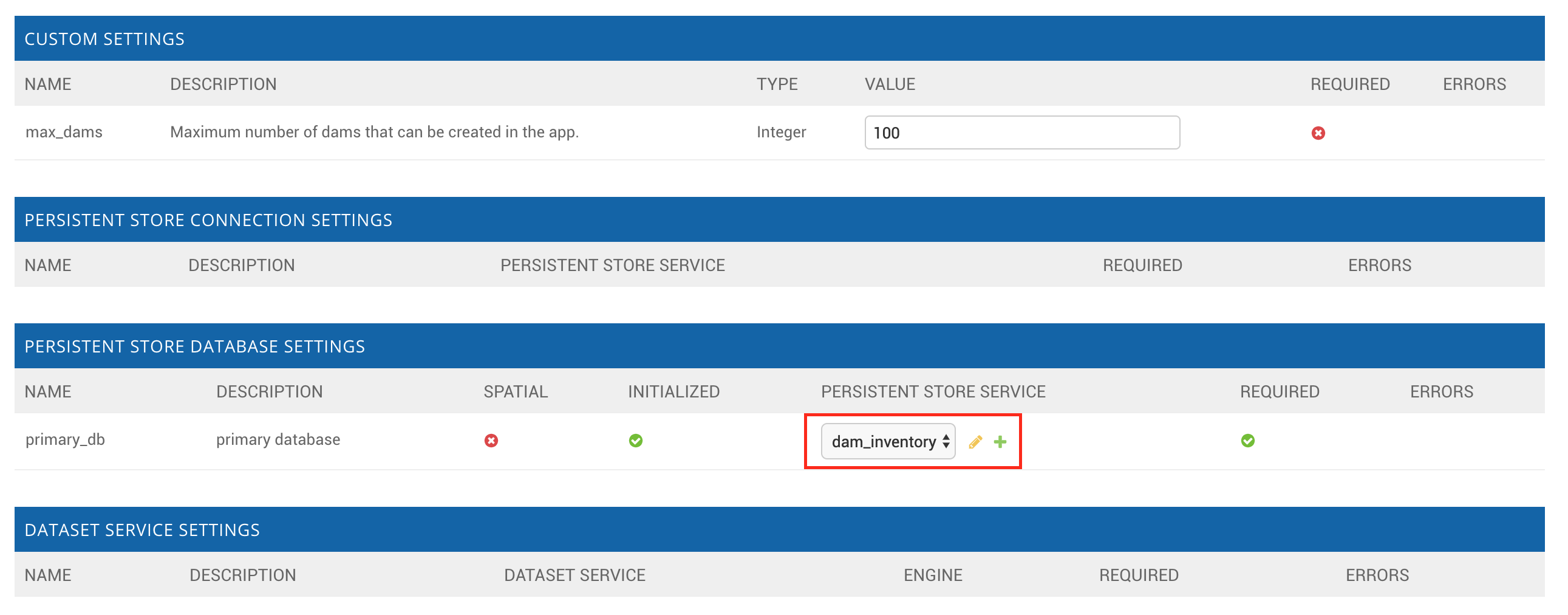
Full-window screenshots should have the following properties:
Aspect Ratio: 16:9
Minimum Resolution: 1920x1080
File Format: PNG / WebP
Note
On higher resolution displays, such as 4K displays, it will likely be necessary to zoom in on the page to ensure that the content is legible in the screenshot.

Figure 1. Example of a screenshot that follows the 16:9 aspect ratio.
Partial-window screenshots, or a screenshot of only part of an application may have different aspect ratios, but should have equivalent resolution and use same file formats:
Aspect Ratio: variable
Resolution: equivalent of 1920x1080 for given aspect ratio
File Format: PNG / WebP
For screenshots that include the address bar of a web browser:
Chrome: Use Chrome for consistency.
Guest Mode: Use Guest Mode in Chrome to avoid showing any personal information in the address bar.
One Tab: Close all tabs except for the one being captured.
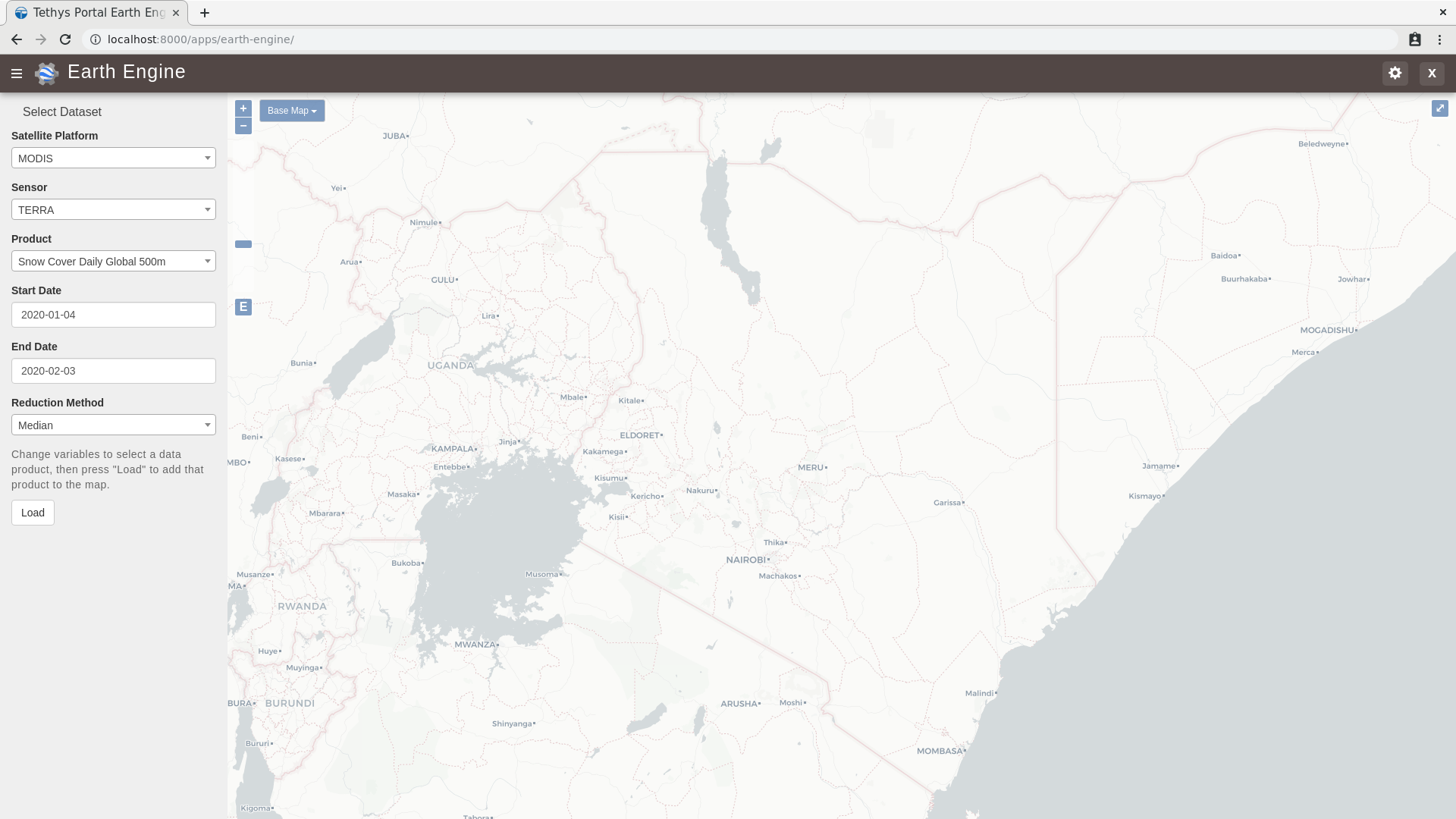
Figure 3. Example of a screenshot with the address bar visible, a single tab, and guest mode.
For screenshots of production portals, live data, real accounts and/or websites:
Censor Personal Information: If the screenshot includes personal information, such as a username, email address, or location, censor it before including the screenshot in the documentation.
Data Privacy: Be mindful of data privacy when including screenshots of live portals or applications. Do not include any sensitive or private information in the screenshot.
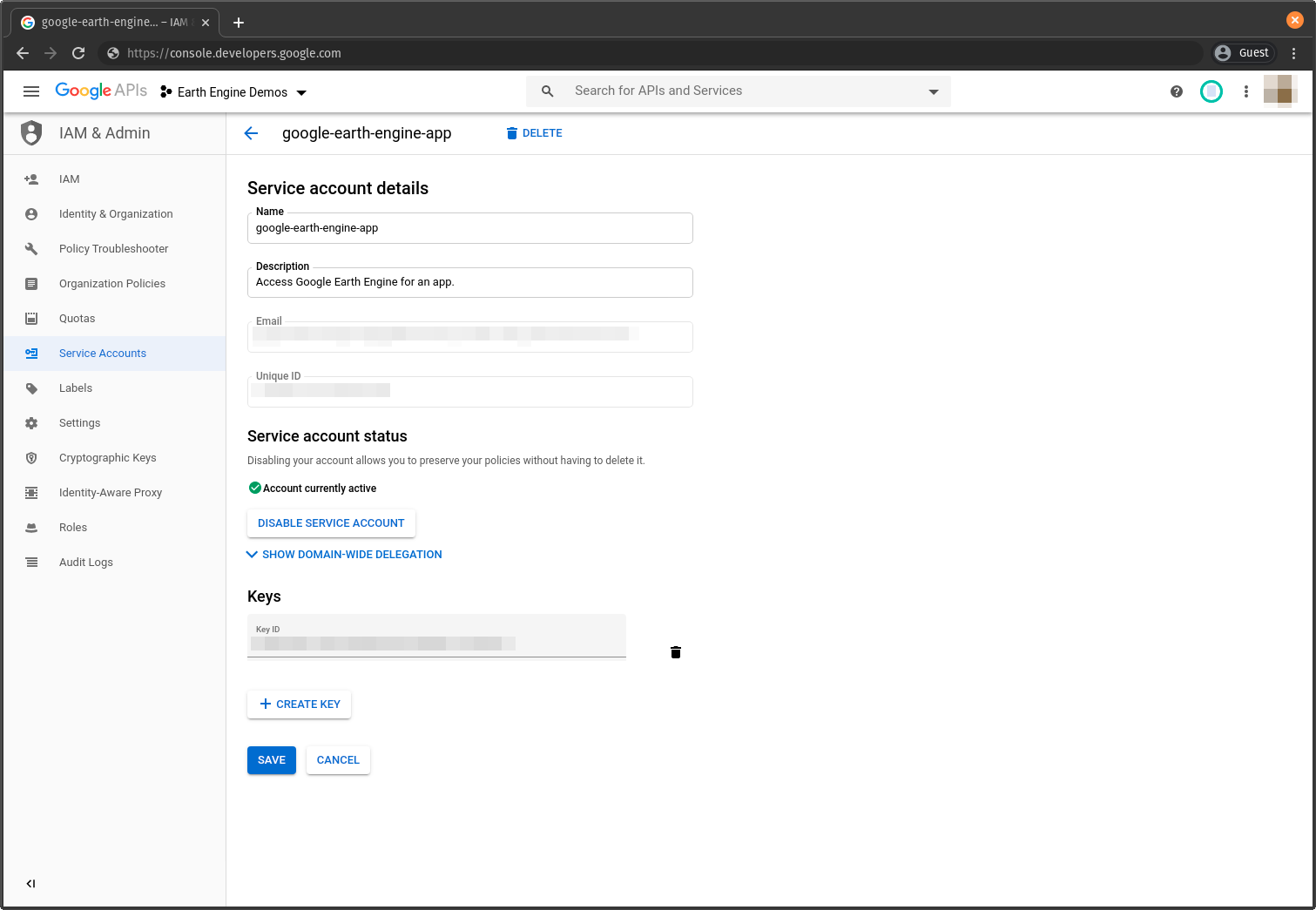
Figure 4. Example of a screenshot with personal information. This information should be censored before including the screenshot in the documentation.
Indentation
Use four spaces for indentation in RST files. Do not use tabs or three spaces. This simplifies documentation writing by making the Python code examples (which must have 4 space indentation) consistent with the rest of the documentation.
Writing Guidance
Use the following guidelines to create high-quality, user-friendly documentation that is clear, consistent, and easy to understand.
Clarity and Conciseness. Write clear and concise sentences to ensure that the documentation is easy to understand. Avoid using unnecessary jargon and complex language that might confuse the reader. Aim for simplicity and precision in your explanations to make the content accessible to a wide audience.
Active Voice. Use the active voice to make instructions direct and engaging. This writing style emphasizes the action and the person performing it, making the instructions more actionable. For example, use "Run the script" instead of "The script should be run" to create a more dynamic and clear directive.
Second Person. Address the reader directly using the second person ("you"). This approach makes the documentation more personal and easier to follow. For instance, write "You can install the package using pip" to engage the reader and provide clear guidance.
Consistency. Maintain consistent terminology and formatting throughout the documentation. Using the same terms for the same concepts helps avoid confusion and ensures that the documentation is professional and coherent. Consistency in style and structure also aids in readability and comprehension.
Correct Capitalization. Use correct capitalization for brand names, function names, and other proper nouns. This includes names like "Python", "NumPy", and "Tethys Platform". Proper capitalization helps maintain a professional appearance and ensures that the documentation adheres to standard conventions (see Brand Names for specific guidance on the Tethys Platform brand names).
Punctuation. Use proper punctuation to enhance readability and clarity. Ensure that lists, bullet points, and numbered steps are punctuated correctly to make the documentation easy to follow. Proper punctuation also helps convey the intended meaning accurately.
Grammar and Spelling. Use correct grammar and US English spelling throughout the documentation. Proofread the content to avoid errors and ensure that the documentation is polished and professional. Correct grammar and spelling contribute to the overall quality and credibility of the documentation (see Spelling to learn how to spellcheck the documentation).
Code Examples. Ensure that code examples are properly formatted and indented. Use four spaces for indentation in Python code to maintain consistency and readability. Well-formatted code examples help readers understand and apply the concepts being explained.
Headings and Structure. Use clear headings and subheadings to organize the content logically. A well-structured document guides the reader through the material in a coherent manner. Logical organization and clear headings make it easier for readers to find and understand the information they need.
Examples and Illustrations. Include examples and illustrations to clarify complex concepts. Use diagrams, screenshots, or code snippets where appropriate to provide visual aids that enhance understanding. Examples and illustrations can make abstract or complicated ideas more concrete and accessible.
Brand Names
When referring to brand names, use the correct capitalization and spelling. For example, use "Tethys Platform" instead of "tethys platform" or "TETHYS PLATFORM". The following are some examples of brand names commonly used in the documentation:
Tethys Platform: The name of the platform should be capitalized as "Tethys Platform" or "Tethys". Only use the shorter form "Tethys" after the full name has been introduced on a page. When in doubt, use the full name.
Tethys Apps: The name of the web applications developed using Tethys Platform should be referred to as "Tethys Apps" or "Tethys Applications".
Tethys Portal: The name of the Django website project that hosts Tethys Apps should be referred to as "Tethys Portal".
Spelling
Use US English spelling in the documentation. For example, use "color" instead of "colour". Translations to other languages should be handled using the internationalization features of Sphinx.
Use the sphinxcontrib.spelling extension for Sphinx to check spelling before you commit changes. Run the following command from the docs director to check spelling:
make spelling
The output will be written to _build/spelling/output.txt. Review the output and correct any spelling errors as follows:
Correct misspelled words.
- If the word is spelled correctly, but is not recognized do one of the following:
If the word is a code brand/library/etc., add double grave accents around the word (e.g.
gravatar).Replace with a synonym or rephrase the sentence to something the spellchecker recognizes.
If you are sure the word is correct, add it to the
spelling_wordlist.txtfile in thedocsdirectory (in alphabetical order, please).